Discarding old laptops responsibly is crucial for environmental protection and resource conservation. This guide provides a comprehensive overview of how to recycle old laptops, covering everything from understanding the components to creating a personalized recycling plan. From local recycling options to do-it-yourself methods, we’ll explore various approaches, ensuring you’re well-equipped to handle this important task efficiently and effectively.
Understanding the materials used in laptop construction, the local recycling facilities, and the environmental impact of proper disposal are key aspects of this guide. By exploring the regulations, guidelines, and troubleshooting strategies, you can navigate the recycling process with confidence and make a positive impact on the environment.
Understanding Laptop Components
Laptops, while offering portability and convenience, contain a variety of materials. Understanding these components is crucial for effective recycling, maximizing resource recovery, and minimizing environmental impact. Proper identification and separation of materials allow for efficient recycling processes and the recovery of valuable resources.The construction of a modern laptop involves a complex interplay of metals, plastics, and electronic components.
Each material has specific recycling methods and associated facilities, which will be detailed below. Careful consideration of these components is vital for responsible disposal and the successful recycling process.
Materials Used in Laptop Construction
Laptops incorporate a diverse range of materials. This includes various types of metals, a variety of plastics, and complex electronic components. The precise mix of materials can vary depending on the manufacturer and the model of the laptop.
Types of Metals
Laptops employ various metals, primarily aluminum, copper, and steel. Aluminum is frequently used for the laptop chassis due to its lightweight and durable properties. Copper is present in wiring and circuit boards. Steel is commonly found in the structural components of the laptop, such as hinges and other supporting elements.
Types of Plastics
Plastics are extensively used in laptop construction, including the chassis, casing, and various internal components. Common plastic types include ABS (Acrylonitrile Butadiene Styrene), polycarbonate, and various engineering plastics. These plastics vary in their recyclability and potential for reuse.
Types of Electronics
Electronic components such as circuit boards, batteries, and connectors are integral to laptop function. These components often contain valuable metals, like gold, copper, and other materials. The recycling of these components is crucial for resource recovery.
Recycling Processes for Each Component Type
The recycling of laptop components necessitates specialized techniques. For example, the separation and recovery of valuable metals from circuit boards often involve chemical processes. Plastics can be mechanically processed, while metals can be melted down for reuse. The complexity of the recycling process is dependent on the specific components involved.
Recycling Options for Laptop Components
The table below provides an overview of the recycling methods, potential facilities, and environmental impact of different laptop components.
| Component | Recycling Method | Potential Recycling Facilities | Environmental Impact |
|---|---|---|---|
| Plastic Chassis | Mechanical processing, including shredding and sorting. Reprocessing into new plastic products. | Specialized plastic recycling facilities, companies handling electronic waste, and local recycling centers. | Lower environmental impact compared to virgin plastic production, reducing the need for new raw materials. |
| Metal Parts (Aluminum, Copper, Steel) | Separation and recovery of metals through processes like shredding, magnetic separation, and chemical leaching. Metals are then melted down and reused. | Metal recycling facilities, some electronic waste recycling facilities. | Significantly reduces the environmental impact associated with extracting raw materials from the earth. Conserves energy used in primary metal production. |
| Circuit Boards | Specialized separation processes to recover valuable metals (e.g., gold, copper). Plastics are separated and processed for reuse. | Specialized electronic waste recycling facilities, companies specializing in the recovery of precious metals. | Significant reduction in the environmental impact from the extraction of raw materials. Proper handling of hazardous materials is crucial. |
| Batteries | Specific recycling processes due to the presence of hazardous materials. Batteries are often disassembled to recover valuable metals. | Specialized battery recycling facilities. | Proper handling and recycling of batteries minimizes the release of hazardous materials into the environment. |
Local Recycling Options
Finding the right local recycling facilities for your old laptops is crucial for responsible e-waste disposal. Proper recycling ensures valuable components are recovered and reused, minimizing environmental impact and promoting sustainable practices. This section details various avenues for locating and utilizing these services.Locating and utilizing local e-waste recycling centers is essential for proper disposal of old laptops. This process involves identifying reputable facilities, understanding their procedures, and ensuring compliance with local regulations.
Proper procedures minimize environmental risks and contribute to responsible waste management.
Identifying Local Recycling Facilities
Locating suitable recycling facilities involves using various online resources and local inquiries. Searching online using s like “e-waste recycling,” “computer recycling,” or “laptop recycling near me” yields relevant results. Online directories and community forums can also provide valuable insights into local recycling options. Furthermore, contacting local environmental organizations or waste management agencies often reveals useful information about approved recycling centers.
Procedures for Dropping Off Old Laptops
Recycling centers have specific procedures for accepting old laptops. These procedures generally involve ensuring the laptop is powered off and the battery is removed. Disconnecting any external peripherals, such as mice or keyboards, is also important. Some facilities might require the hard drive to be securely removed or encrypted before disposal, to prevent data breaches and maintain security.
Furthermore, proper labeling of the device, indicating its components, may aid in efficient processing.
Finding Recycling Centers
Finding suitable e-waste recycling centers involves utilizing a combination of online and offline resources. Local search engines and online maps can provide detailed listings of recycling centers, including their addresses and contact information. Checking local government websites often reveals information about approved recycling facilities. Community forums and social media groups in the area may also feature discussions about recycling options and centers.
List of Local E-waste Recycling Centers
| Recycling Center | Address | Phone Number | Website | Services Offered |
|---|---|---|---|---|
| Eco-Tech Recycling | 123 Main Street, Anytown | 555-1212 | www.ecotechrecycling.com | Laptop, hard drive, and component recycling. Data wiping services available. |
| Green Solutions Recycling | 456 Elm Avenue, Anytown | 555-3456 | www.greensolutionsrecycling.com | Comprehensive e-waste recycling, including laptops, with specialized data destruction procedures. |
Note: Contact the recycling centers directly to confirm their acceptance of old laptops and any associated fees. Always adhere to their specific procedures for drop-off. The information provided in this table is a sample and should be considered as such. It is crucial to verify the details and services offered for specific centers in your area.
E-waste Regulations and Guidelines
Proper disposal of electronic waste, including old laptops, is crucial for environmental protection and public health. Regulations and guidelines exist in most regions to manage e-waste responsibly. These regulations ensure that hazardous materials are handled safely and recycled effectively.Understanding these regulations is vital for individuals and businesses to avoid penalties and contribute to a sustainable future. This section explores e-waste regulations in various contexts, focusing on the importance of adherence and the potential consequences of non-compliance.
E-waste Regulations in the [Specific Region/Country]
Regulations concerning e-waste disposal vary significantly across different jurisdictions. In [Specific Region/Country], specific laws mandate the proper handling of electronic devices at the end of their lifespan. These laws often target the collection, transportation, and processing of e-waste to minimize environmental risks.
Local Guidelines for Recycling Electronic Devices
Local authorities often provide specific guidelines on how to recycle electronic devices like laptops. These guidelines frequently detail the acceptable methods for disposal, including drop-off locations and designated recycling centers. For example, in [Specific Region/Country], many municipalities operate designated e-waste collection days or locations for residents to safely dispose of their old laptops.
Penalties for Improper Disposal of Old Laptops
Non-compliance with e-waste regulations can lead to significant penalties. These penalties can range from fines to legal action. For instance, in [Specific Region/Country], businesses found to be improperly disposing of e-waste face substantial fines and potential legal repercussions. Individuals, too, may be subject to penalties for negligent disposal practices.
Comparison of Recycling Regulations Across Different Countries
Recycling regulations differ substantially between countries. Some countries have stricter regulations and stricter penalties for non-compliance, whereas others have less stringent measures. This variation is due to differing priorities regarding environmental protection, economic considerations, and technical capacity for e-waste management. For example, countries with more advanced recycling infrastructure often have stricter guidelines and more readily available recycling options.
In contrast, countries with limited infrastructure might have less stringent regulations. This difference can be illustrated in a table comparing recycling regulations in [Country A], [Country B], and [Country C].
| Country | Regulation Stringency | Recycling Options | Penalties for Non-Compliance |
|---|---|---|---|
| [Country A] | High | Extensive network of drop-off centers, advanced processing facilities | Significant fines, potential criminal charges |
| [Country B] | Medium | Limited drop-off centers, basic processing facilities | Moderate fines, administrative penalties |
| [Country C] | Low | Limited recycling options, reliance on landfills | Minimal penalties, primarily focused on educational campaigns |
Importance of Following Recycling Guidelines
Adherence to recycling guidelines for electronic devices like laptops is essential for mitigating environmental damage. Improper disposal can lead to the release of harmful toxins into the environment, contaminating soil and water sources. Furthermore, it can impact human health, posing risks to those who come into contact with contaminated materials. By following proper recycling guidelines, individuals and businesses can contribute to a cleaner and healthier environment.
“Proper e-waste management protects ecosystems and public health.”
Do-It-Yourself Recycling Options
DIY laptop recycling presents a tempting option for cost savings and perceived environmental responsibility. However, significant risks and challenges accompany this approach. Thorough understanding of these risks is crucial to ensure safe and responsible disposal. Proper handling of components is essential to avoid potential hazards.DIY laptop recycling methods can seem appealing, but often fall short of the comprehensive and controlled procedures employed by professional e-waste recycling facilities.
This can lead to unsafe practices and a less efficient recycling process. A crucial aspect is understanding the hazardous materials present within a laptop and taking necessary safety precautions.
Feasibility of DIY Laptop Recycling
DIY laptop recycling, while potentially cost-effective, is often not a feasible solution for many. The process requires specialized knowledge, tools, and safety precautions. The complexity of laptop disassembly, coupled with the presence of hazardous materials, often makes it unsuitable for individuals without the proper expertise.
Potential Risks and Challenges of DIY Recycling
DIY laptop recycling methods carry several risks. Improper handling of components can expose individuals to harmful substances, such as lead, mercury, and cadmium, which are present in various laptop parts. Uncontrolled disposal of these materials can lead to environmental contamination.
Safety Measures When Handling Laptop Components
Adhering to safety measures is paramount when handling laptop components. Using appropriate personal protective equipment (PPE) is crucial. This includes safety glasses, gloves, and a respirator to prevent inhalation of harmful dust and fumes. Working in a well-ventilated area is also essential.
Identifying Hazardous Materials Within a Laptop
Various hazardous materials are present in laptops, including lead in solder, mercury in batteries, and cadmium in plastics. These substances can pose significant health risks if mishandled. Understanding the potential locations of these materials is critical. Batteries and circuit boards are common sources. Carefully inspect the components for markings or labels indicating the presence of hazardous materials.
Tools Needed for Basic Laptop Disassembly
Basic laptop disassembly requires specific tools. These include a Phillips head screwdriver, a flathead screwdriver, tweezers, and a small pry bar. Using the right tools can help avoid damaging the components. Specialized tools might be required for more complex tasks. Additional tools, such as soldering irons or desoldering equipment, may be needed to remove specific components.
Importance of Laptop Recycling
Proper disposal of old laptops is crucial for both environmental sustainability and resource management. Ignoring this crucial step leads to significant environmental and economic consequences. Recycling old laptops offers a proactive approach to minimizing waste and maximizing the utilization of valuable components.Recycling old laptops mitigates the negative impacts of improper e-waste disposal and contributes to a more sustainable future.
This involves recovering valuable materials, preventing pollution, and conserving resources. This process not only benefits the environment but also contributes to a more efficient and sustainable economy.
Environmental Benefits of Laptop Recycling
Recycling old laptops offers a multitude of environmental advantages. The process recovers valuable materials like copper, aluminum, gold, and plastics from discarded laptops, preventing the depletion of natural resources and minimizing the environmental burden associated with extracting raw materials. This significantly reduces the demand for new mining operations and manufacturing processes, which often involve high energy consumption and environmental damage.
Impact of Improper E-Waste Disposal
Improper e-waste disposal poses serious environmental and health risks. Leaking hazardous substances like lead, mercury, and cadmium from discarded laptops contaminate soil and water sources, posing threats to human health and ecosystems. These toxins can persist in the environment for extended periods, impacting wildlife and potentially contaminating the food chain. In addition, the uncontrolled dumping of e-waste often leads to the illegal recovery of valuable materials, further exacerbating environmental issues.
Resource Conservation Through Laptop Recycling
Recycling laptops plays a critical role in conserving valuable resources. Recovering materials from old laptops reduces the need to mine and process new raw materials, thereby minimizing the environmental impact of resource extraction. This conservation extends to energy consumption, as manufacturing new components requires substantially more energy than recycling existing ones.
Annual Electronic Waste Generation
Globally, the volume of electronic waste generated annually is staggering. Statistics indicate that millions of tons of e-waste are produced each year, largely due to the rapid pace of technological advancements and the relatively short lifespan of electronic devices. This substantial amount highlights the urgent need for effective recycling programs and responsible consumer practices. Estimates suggest that e-waste generation is expected to continue rising, demanding increased efforts to establish robust recycling infrastructures and to promote responsible disposal practices.
Comparison of Recycling and Landfill Disposal
| Method | Resource Conservation | Pollution Prevention | Cost-Effectiveness |
|---|---|---|---|
| Recycling | Recycling recovers valuable materials, reducing the demand for new raw materials, thus conserving natural resources. This minimizes the environmental impact of resource extraction and processing. | Recycling prevents the release of hazardous substances like lead, mercury, and cadmium into the environment, protecting human health and ecosystems. It also reduces the emission of greenhouse gases associated with manufacturing new products. | Recycling often proves cost-effective in the long run, as it reduces the need for raw material procurement and processing, thereby lowering production costs. Additionally, the recovery of valuable materials from recycled components can offset some costs. |
| Landfill Disposal | Landfill disposal leads to the permanent depletion of valuable resources, as the materials are not recovered for reuse. This increases the demand for new raw materials and the associated environmental impacts. | Landfill disposal exposes the environment to hazardous substances from electronic devices, contaminating soil and water sources. This poses significant threats to human health and ecosystems. | Landfill disposal is often a more expensive solution in the long run. The costs associated with landfill management, including land acquisition, waste disposal, and potential environmental remediation, can outweigh the potential short-term savings. |
Troubleshooting Common Recycling Issues
Recycling electronic devices like laptops presents various potential challenges. Understanding these difficulties and the steps to address them ensures responsible disposal and minimizes environmental impact. This section Artikels common problems encountered during the laptop recycling process, providing practical strategies for resolution.Troubleshooting these issues requires a proactive and informed approach. By understanding the process and the potential pitfalls, individuals can effectively navigate the recycling journey, contributing to a more sustainable future.
Identifying Faulty Equipment
Determining if a laptop is beyond repair before attempting recycling is crucial. Inspecting the laptop for visible damage, like cracked screens or obvious internal component damage, helps identify potential issues early. Assessing the functionality of essential components, such as the power button, charging port, and display, aids in this evaluation. The presence of a broken or non-functional hard drive might lead to complications during recycling.
Dealing with Uncooperative Recycling Facilities
Recycling facilities may sometimes impose restrictions or encounter issues during the processing of laptops. Understanding these potential roadblocks allows individuals to address them proactively. Clear communication and a willingness to provide documentation, such as proof of purchase, may be necessary to ensure a smooth process. Knowing the facility’s specific guidelines, such as the permitted types of devices, will avoid delays and potential complications.
Resolving Disputes with Recycling Centers
Disputes with recycling centers may arise due to miscommunication, improper documentation, or discrepancies in the recycling process. Maintaining clear communication channels is essential. Documenting all interactions with the recycling center, including phone calls and emails, provides a record of events. Contacting the recycling center’s management or a regulatory body for assistance may be necessary to resolve conflicts.
Escalation of issues to a supervisor or relevant authorities ensures fair resolution and accountability.
Obtaining Further Support
Various resources are available for individuals seeking assistance with laptop recycling. Consulting local environmental agencies or waste management departments offers avenues for gaining insights into local regulations and guidelines. Online forums dedicated to electronics recycling provide valuable insights and experiences from others. Community outreach programs or support groups dedicated to responsible e-waste disposal may also offer relevant information and advice.
Examples of Potential Issues and Resolutions
- Faulty Hard Drive: If a hard drive is suspected of containing sensitive data, consider removing it before recycling to prevent unauthorized access. This can be done by physically disconnecting the hard drive or using appropriate data-wiping software to ensure secure data removal.
- Uncooperative Recycling Facility: If a recycling facility refuses to accept a laptop due to damage or non-compliance with their specific criteria, consider contacting other recycling centers in the area. Check for alternative options and ensure they comply with your needs and expectations. If the facility refuses to accept the laptop without any explanation or a clear reason, consider filing a formal complaint with the appropriate authorities or contacting a local waste management authority for assistance.
- Dispute over Payment or Charges: If a dispute arises over payment or additional charges, ensure that all agreements and transactions are documented. Review the recycling center’s policies and procedures. If the issue persists, consider contacting a consumer protection agency or relevant authorities for assistance. Keep detailed records of all communication and transactions.
Creating a Recycling Plan
A well-structured recycling plan is crucial for safely and effectively disposing of old laptops. This plan should encompass all aspects of the process, from initial assessment to final documentation. A comprehensive plan ensures compliance with regulations, maximizes material recovery, and minimizes environmental impact.A robust recycling plan will detail each step, from initial laptop assessment to final documentation, enabling a streamlined and efficient process.
This proactive approach ensures adherence to regulations, maximizes resource recovery, and mitigates environmental risks.
Step-by-Step Recycling Guide
This guide provides a clear roadmap for recycling old laptops, ensuring compliance and maximizing material recovery.
- Assessment and Preparation: Thoroughly inspect the laptop for any potential hazards, such as spilled liquids or broken components. Document any unique features or components requiring special handling. Disconnect all cables and remove any external devices. Take photos of the laptop’s exterior and interior to aid in documentation and disassembly.
- Disassembly: Carefully disassemble the laptop, following manufacturer guidelines if available. Pay close attention to the removal of screws, cables, and internal components, documenting the process for potential future reference. Separate components like hard drives, batteries, and circuit boards for specific recycling procedures.
- Component Sorting: Sort the disassembled components into designated categories, such as plastic, metal, circuit boards, and batteries. This precise sorting is crucial for efficient material recovery and proper recycling. Ensuring correct sorting is key for recycling facilities to process the components effectively.
- Documentation: Create a comprehensive record of the entire recycling process, including the date, laptop model, and any unique features. Include details of the disassembly steps and the final sorting of components. This documentation is important for traceability and accountability.
- Compliance: Ensure compliance with local e-waste regulations and guidelines. This includes using approved recycling facilities and adhering to specific procedures for the disposal of hazardous materials. Contacting local authorities or recycling centers about specific regulations is crucial for compliance.
- Disposal: Transport the sorted components to designated e-waste recycling facilities. Verify that the facility accepts the specific types of components being recycled. Document the disposal method and the facility’s contact information.
- Post-Recycling Review: After disposal, review the entire process and refine the plan based on lessons learned. Adjust procedures or documentation as needed to optimize future recycling efforts. Reviewing the process allows for continuous improvement.
Recycling Checklist
This checklist provides a structured approach to ensure that all necessary steps are taken during the recycling process.
- Laptop Identification: Record the model, serial number, and any unique identifiers.
- Safety Precautions: Ensure proper protective equipment (gloves, eye protection) during disassembly.
- Component Separation: Clearly label and sort components (hard drive, battery, circuit board).
- Documentation: Maintain a detailed log of disassembly steps and component types.
- Regulatory Compliance: Verify compliance with local e-waste regulations.
- Facility Verification: Confirm the recycling facility accepts the specific components.
- Disposal Confirmation: Secure confirmation of successful disposal.
Safe and Efficient Laptop Disassembly
Careful disassembly is essential to prevent damage to components and ensure safe handling of hazardous materials.
- Preparation: Gather necessary tools, such as screwdrivers, and ensure a clean, well-lit workspace.
- Component Identification: Identify each component and its connection points.
- Sequential Removal: Remove components systematically, noting their placement and connections.
- Protective Measures: Use protective gear to avoid injury and contamination.
- Secure Storage: Store disassembled components securely and separately.
Recycling Procedure Flowchart
This flowchart provides a visual representation of the recycling procedure. [Note: A flowchart is not included in this text format. A visual representation would be helpful here, but is beyond the current capability.]
Essential Documents/Forms
Documentation is crucial for proper recycling and compliance.
- Proof of Disposal: Receipt or confirmation of disposal from the recycling facility.
- E-Waste Recycling Policy: Policy or guidelines specific to the recycling facility.
- Component Inventory: A list of the disassembled components.
- Disassembly Log: Detailed records of each step in the disassembly process.
Last Recap
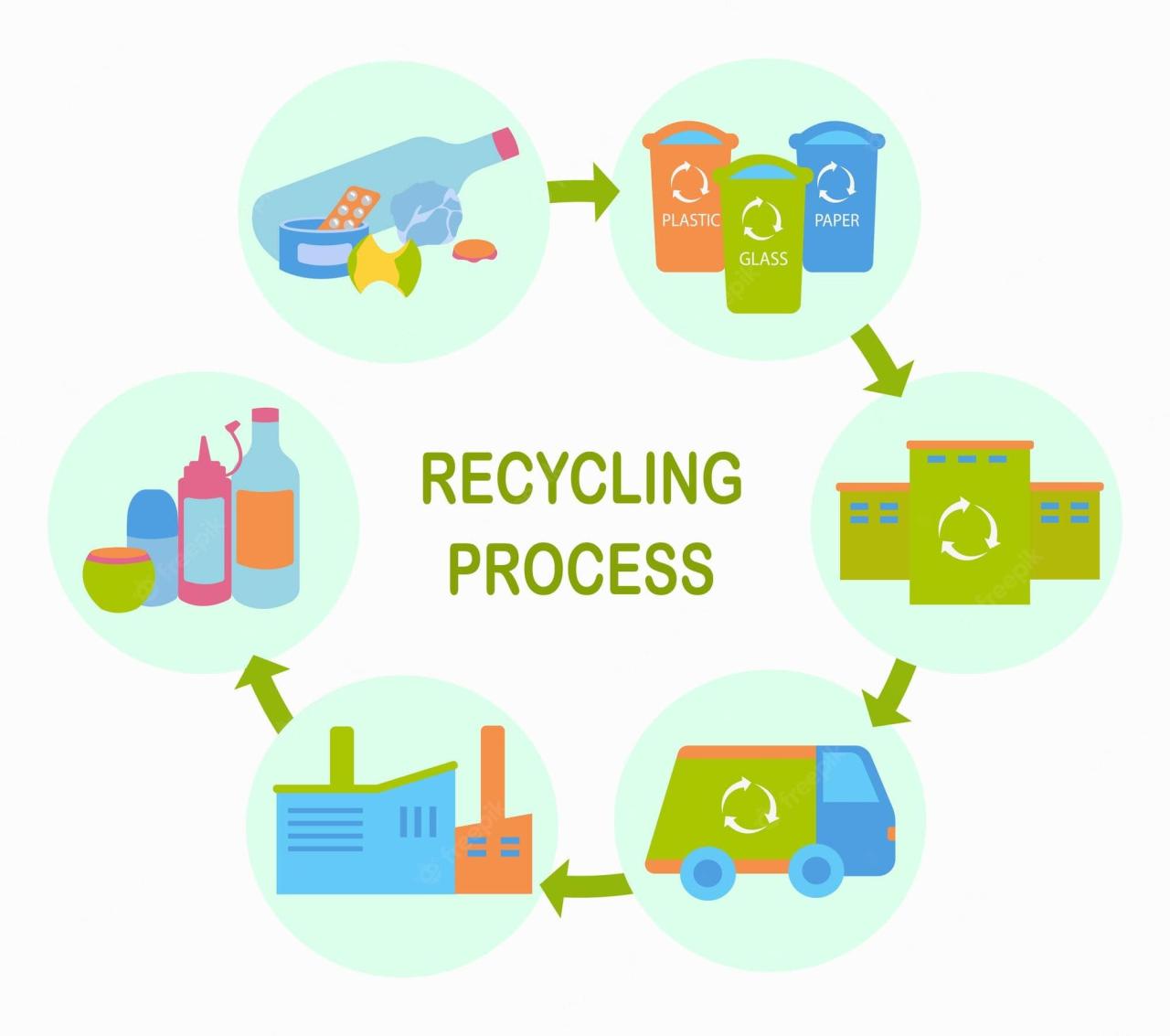
In conclusion, recycling old laptops is a multifaceted process that requires careful consideration of components, local regulations, and personal safety. By understanding the various recycling options, adhering to guidelines, and creating a personalized plan, you can effectively recycle your old laptops and contribute to a more sustainable future. This comprehensive guide equips you with the knowledge and resources to make informed decisions about the recycling process and ensure responsible disposal practices.